
So... What's Stoneturner?
AI agents are phenomenal at searching and consolidating information.
And so Stoneturner was built for one simple reason: improve search for agents across all the data sources a user could want
Everything Stoneturner does, all the features, all I think about when building Stoneturner is how to make agent search better. Because when agents can search and retrieve better context, tools become better, prompts make more sense, and agents perform their best.
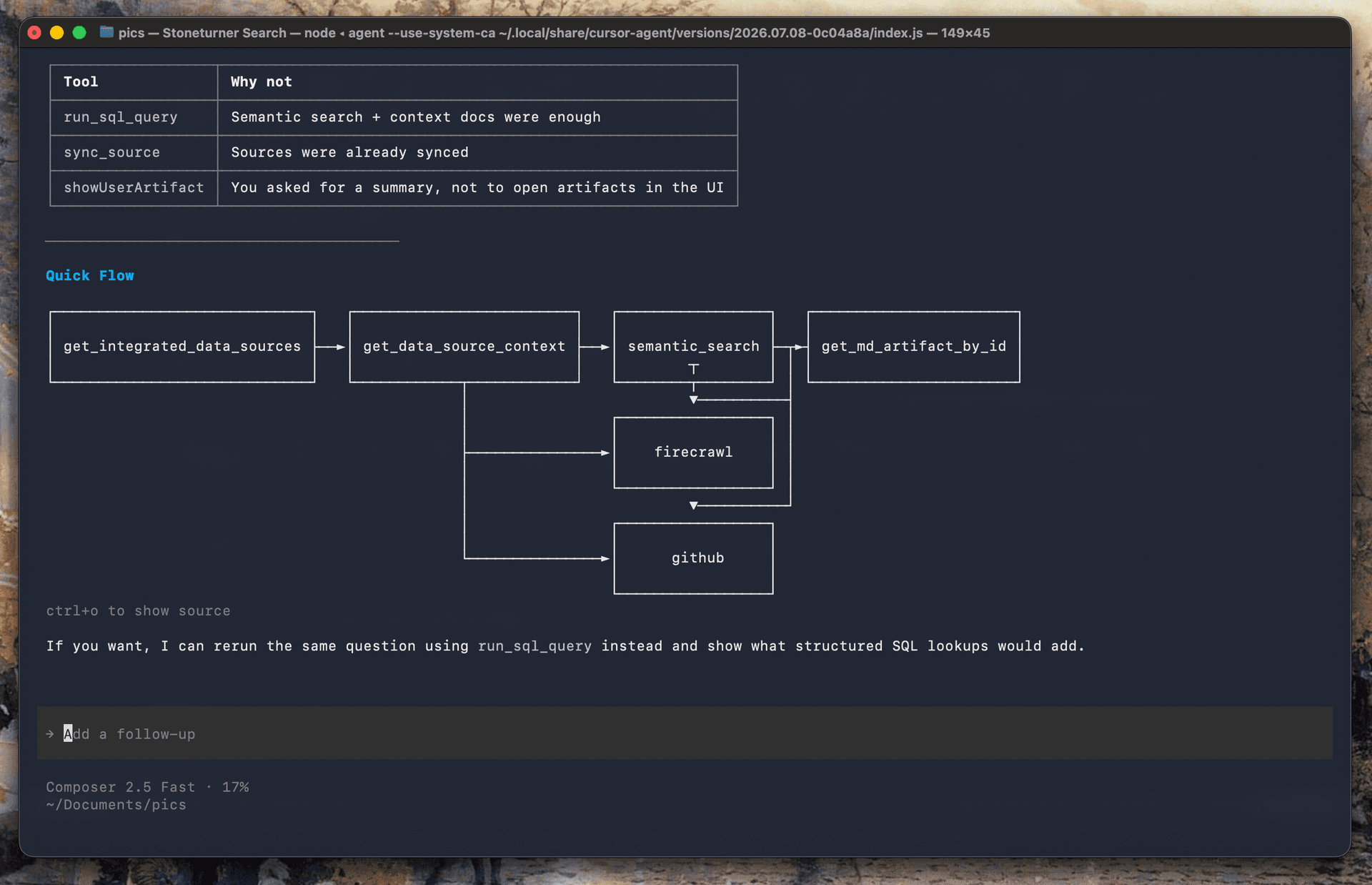
So... How does Stoneturner "search better?"
The short answer is that Stoneturner provides tools to search your connected data semantically, with SQL, and with markdown file reads.
You connect to Stoneturner's MCP to get the tools, and whenever you want to connect a data source, you can do it on the Stoneturner App and start syncing your data to Stoneturner for the MCP to search against.
No really, how does Stoneturner "search better?"
So first, Stoneturner is an open-source project. You can look at exactly how the code works and run Stoneturner locally. None of this "open-core" stuff, Stoneturner can truly be run locally without any cloud services.
But how Stoneturner works is in 4 steps:
- 1. Connecting to your data sources
- 2. Syncing your data from the data source to Stoneturner
- 3. Cleaning and pre-processing the data to aid better search and agent reading
- 4. MCP tools to search any of your synced data with vector search, SQL, and file reads
We'll actually switch it up and start backward:
So... MCP tools? (Been here before...)
Yes, Stoneturner's uses MCP. MCP is the default way to give agent tools across the most popular agent harnesses - think Claude Code, Codex, Cursor, OpenCode, ChatGPT.
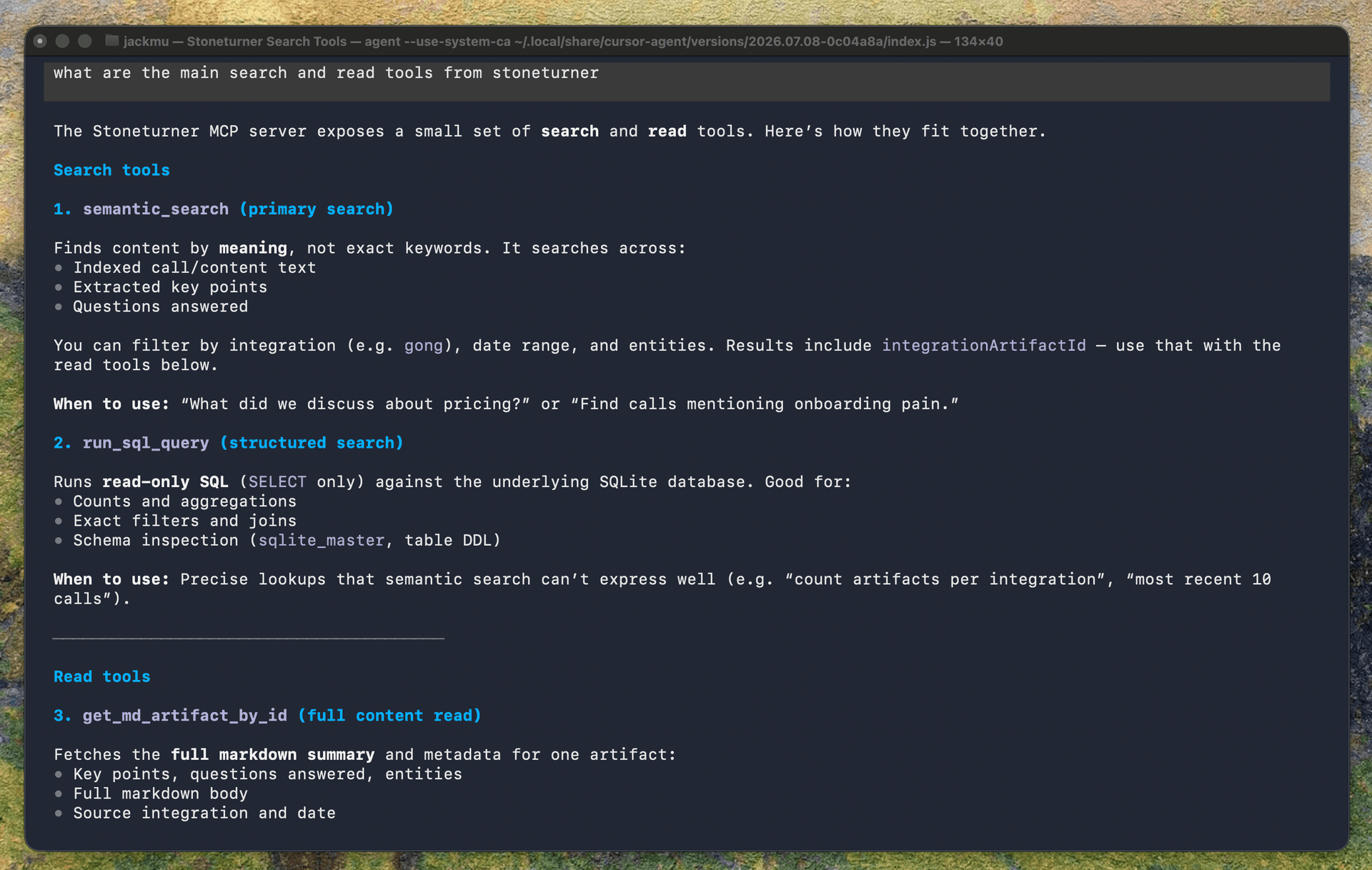
You can easily throw in a one liner claude mcp add --transport http stoneturner https://app.stoneturner.app/mcp and give your agent Stoneturner's tools. Stoneturner keeps it simple with 3 main tools:
- 1. Semantic search tool: uses vector search to find unstructured data
- 2. SQL query tool: For structured data, regex, sorting, and joins
- 3. Get Markdown: Read an artifact in markdown format
These tools work on all the data you've synced in Stoneturner, so your agent can search for data efficiently and make connections across data sources like Notion and Slack.
Now what sets Stoneturner's MCP apart from using the Notion MCP, the Slack MCP, the HubSpot MCP are a few things:
- 1. Semantic search, SQL query capabilities, and file reads across the board
- 2. Support for data sources that don't have an MCP
- 3. ~5 Stoneturner tools instead of a bloated amount of tool from more and more 3rd-party MCPs
You've heard a lot about "syncing", and it's because syncing is necessary for cleaning, pre-processing, and pre-computing your data sources.
So... What type of cleaning and processing?
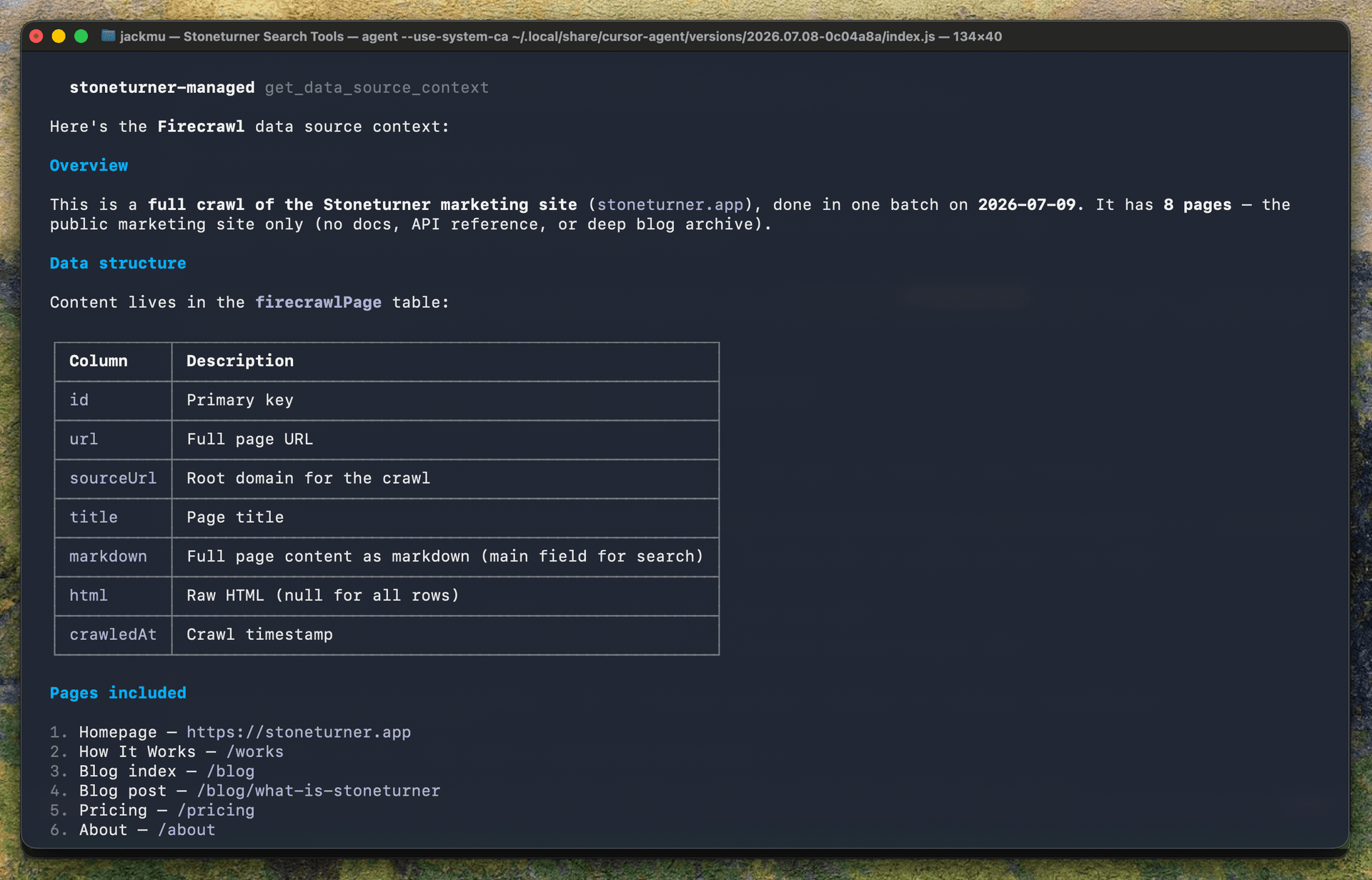
To keep it simple, the cleaning we do on all data sources is markdown converting. Agents have a proven track record of understanding the simple formatting and semantic meaning of markdown, and so we want to provide all 3rd-party data in markdown format. This means rather than complex jsons of Slack messages, we create a markdown file of all the messages in a thread. For meeting transcripts in Gong, we add speaker labels as h2s. All unstructured data will be compiled down to markdown.
For structured data, like CRM data, we keep these data in sqlite tables so we can query it on demand and perform aggregations, joins, filters, and sorts.
When it comes to pre-processing and pre-computation, this is enriching our data with context that will improve semantic search and agent capabilities. I borrowed this idea from Josh at enzyme.garden but it's this idea that semantic search has gaps because when a user is searching for answers, their prompt may not be semantically similar to what they're looking for. Instead, we can use LLMs to generate questions and insights that an agent can better vector search against.
LLMs can also be used to extract entities and find related entities almost like traversing a graph with similar entities and tags
One more pre-computation I'll speak to, is an AGENTS.md file or wiki-like file for each data source. When agents search through dense data sources, they start with exploring the data. Stoneturner reduces this initial exploration like an AGENTS.md file in a codebase. This data-source-level file gets re-computed at every sync.
So... Why syncs?
Stoneturner syncs are essentially pulling down all of your data from your 3rd-party data source (like Notion or Slack) to Stoneturner. Yes this data is pulled to Stoneturner's cloud environment (which you can always run locally via the open source repo), but it's a necessary step for all the data cleaning and pre-processing.
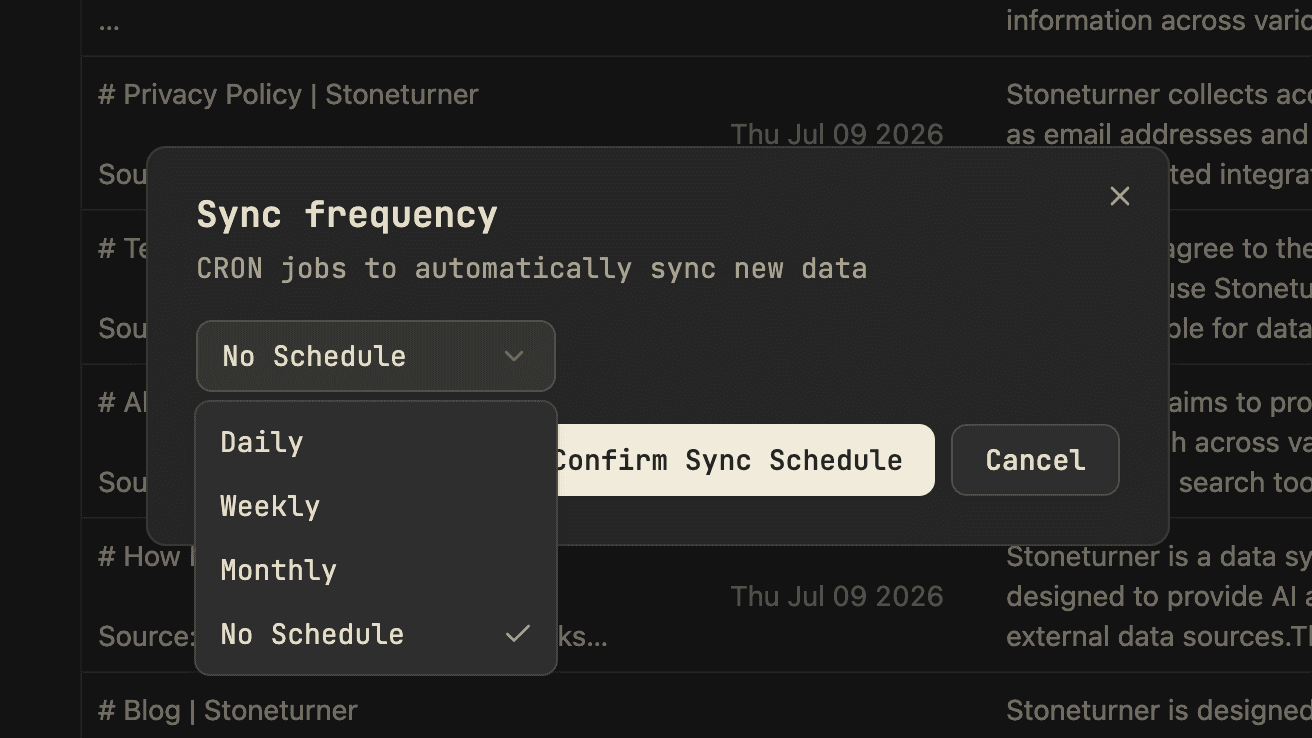
There are definitely downsides to syncs. First and foremost, real-time use cases are more difficult. Because, we don't want to constantly poll the data provider's APIs and get rate-limited, syncs are run monthly, weekly, or daily. Using 3rd-party MCPs or tools that wrap APIs are the best ways to get real-time data that up-to-date by the second. However, you lose the benefits of clean markdown data, pre-computed wikis, and entity extraction across all of your data sources.
It's a real tradeoff where Stoneturner fits use cases where searching for the right buried context is paramount and slight data lag is acceptable.
Ok, I'm tired of the "So..." bit. Data Connections
In order for Stoneturner to sync user data, we have to integrate with every 3rd-party data provider.
Some backstory on me, I used to work for an integration platform that specialized in OAuth integrations. This is where my expertise in integration building fits in.
Many of Stoneturner's data connections are built off OAuth where you can login with your Notion or Slack or Spotify credentials, and then we can pull your data with your credentials. Every integration is built with automatic token refreshes, so we can sync your data on demand, whenever you need it.
So that's what Stoneturner is
I termed Stoneturner as the "sync and search" layer for agents. Hopefully now you can see what I was going for.
Try out Stoneturner for yourself. It's totally free. Let me know if it's truly better search or a bunch or over-engineered nonsense.
- Jack